
Communities module
The Community Profile
Everything about one property in a single screen. The left side holds the property details, the right side is a set of tabs covering activity and config...
Everything about one property in a single screen. The left side holds the property details, the right side is a set of tabs covering activity and configuration.
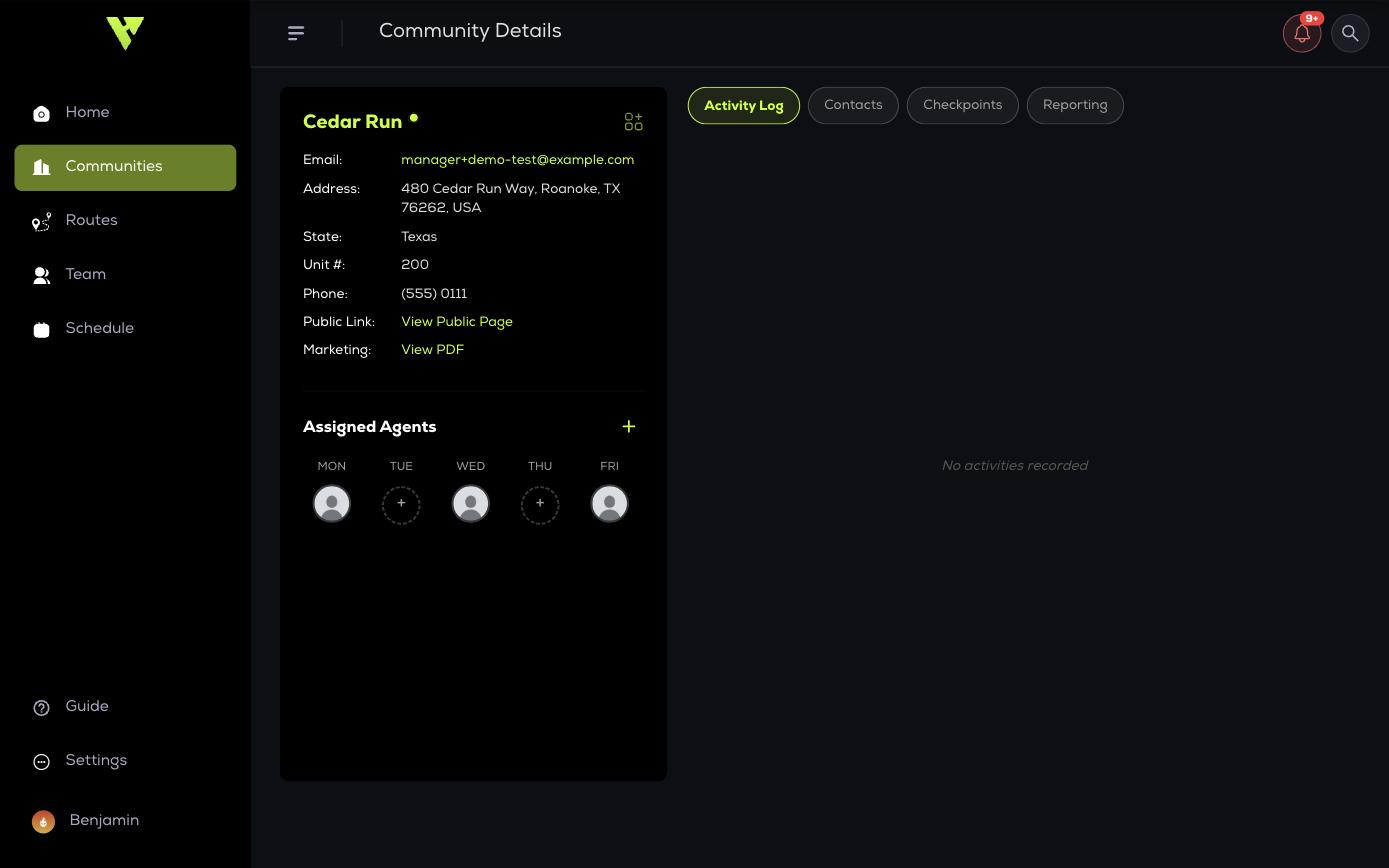
Property details
- Address, with View Map to see the location.
- Property manager contact details.
- Service days.
- Assigned Agents — who services this property.
- Property Manager — the admin responsible for this property.
Assigning agents to service days
Use Assign Agents to Service Days to set who works this property on which nights. This is what populates your team's mobile app with the right property on the right day.
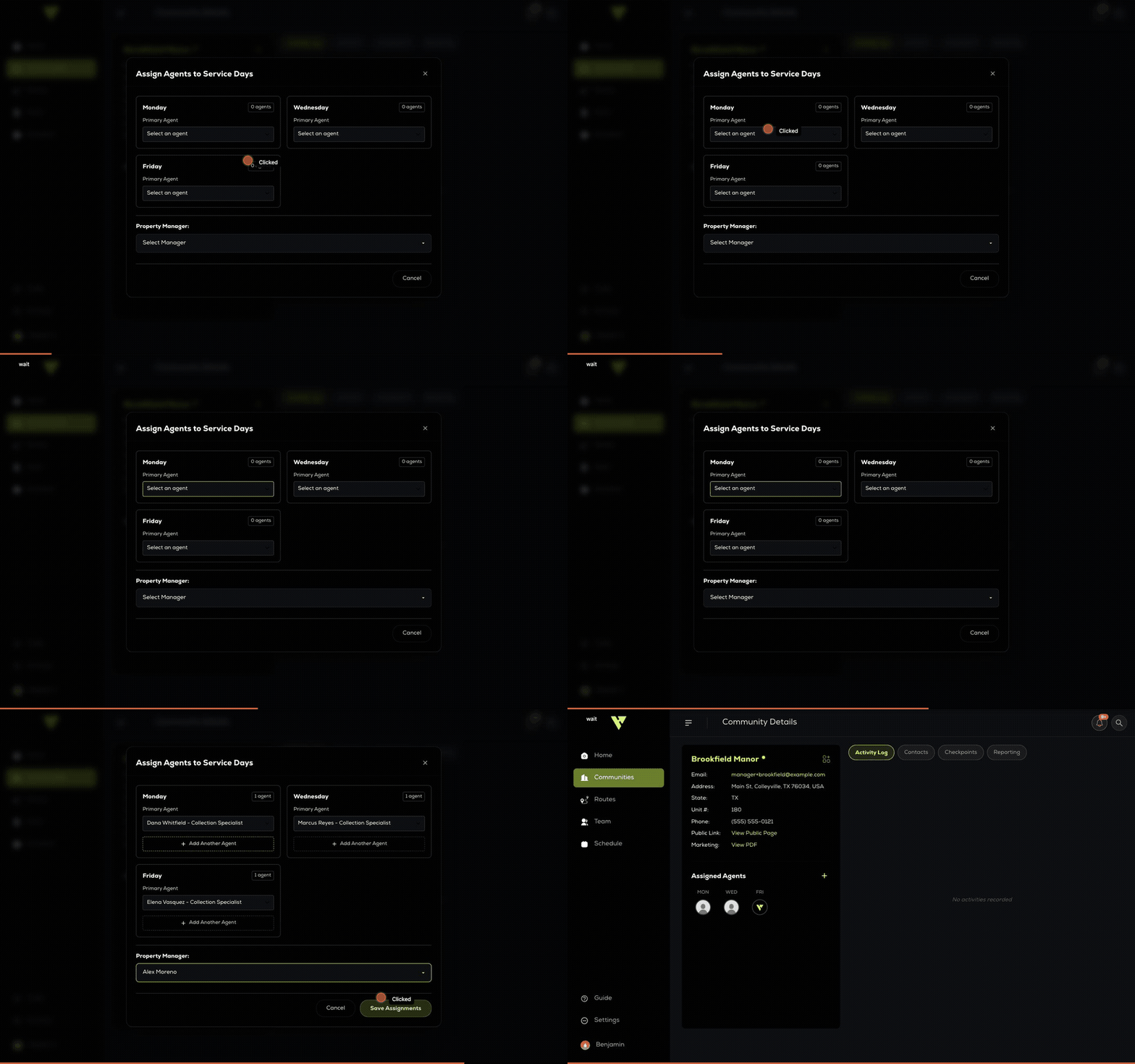
Each service night gets its own agent — they do not have to be the same person. Add Another Agent appears once a day has one, for properties that need a pair. The Property Manager list shows the admins on your account.