
Units & Photo Proof
Valet Hero is photo-first for property service proof. Your team records what happened at the unit or service area, attaches photos where needed, and leaves a clean record for managers without putting stickers or tags on residents' doors.
Adding units
- Open the community profile and go to the Units tab.
- Click Add Unit.
- Enter the unit number and any building or floor detail your team needs.
- Add resident contact details when available.
- Save. The unit becomes part of that property's service record.
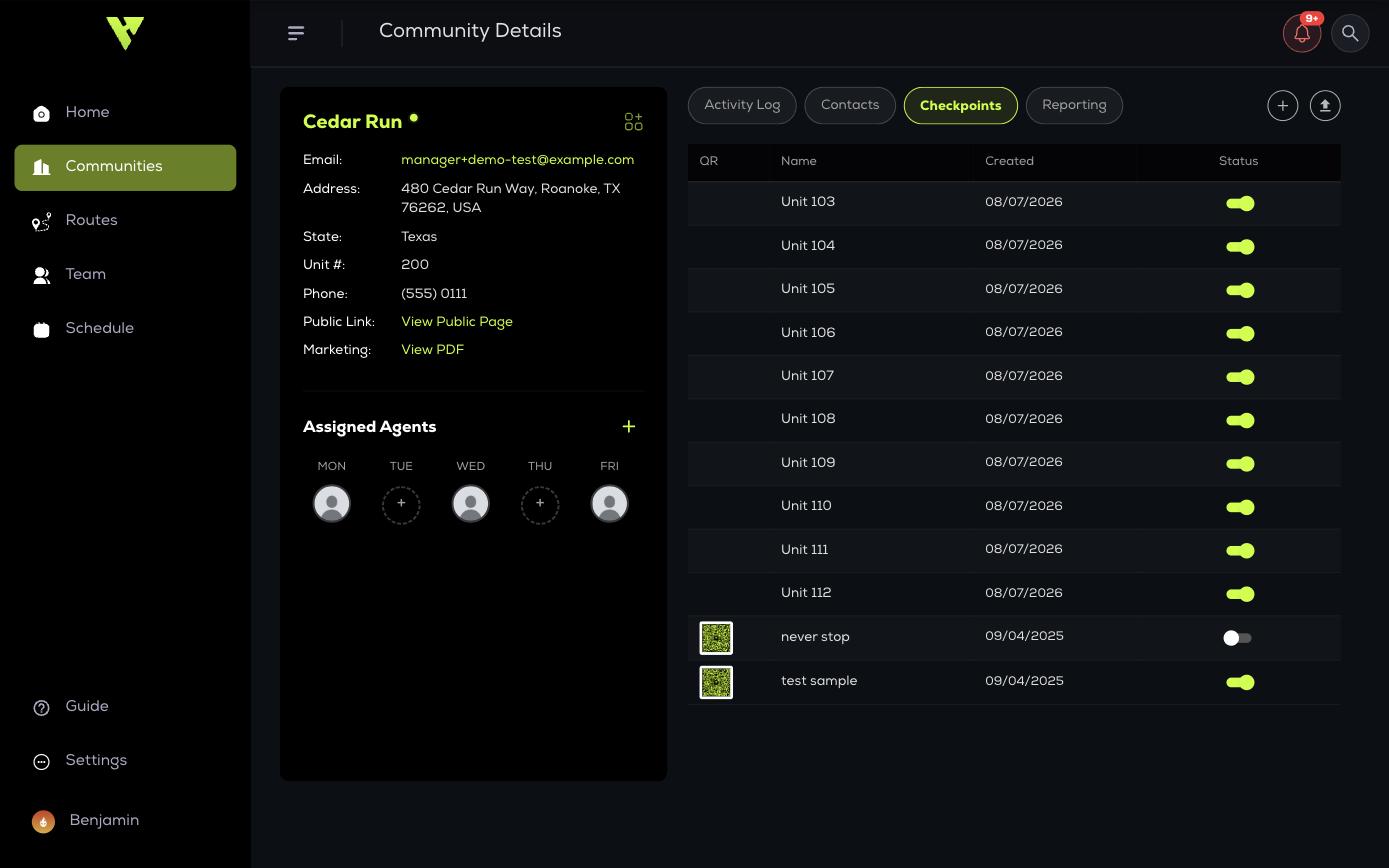
What the table shows
Unit, building details, resident/contact status, service history and active status — so you can keep the property record aligned with the real rent roll.
Controlling photo requirements
Open Settings → Operations to turn photo requirements on or off. Valet-trash accounts use before/after compactor photos; Routes uses a confirmation photo per stop; in-house properties can require a photo at every door. In-house violations and no-bag-out records always require a photo. Unit enrollment is managed separately through the unit’s active service status.
QR checkpoint scanning has been retired. Existing scan history remains available; there is no checkpoint switch to enable. Resident door-tag links are separate from checkpoints and still open the resident portal.