
Operations
Operations controls what your field team is required to do. These settings change the mobile app for everyone.
Operations controls what your field team is required to do. These settings change the mobile app for everyone.
Service Features
- Require Before/After Compactor Photos — agents must photograph the compactor area at the start and end of a shift.
- Require Photo Proof — agents must attach required service photos before completing configured workflows.
- Auto-Approve Violations — reported violations are confirmed immediately rather than waiting for your review.
Compactor photos and unit-level service proof are community concepts and are hidden on routes-only accounts.
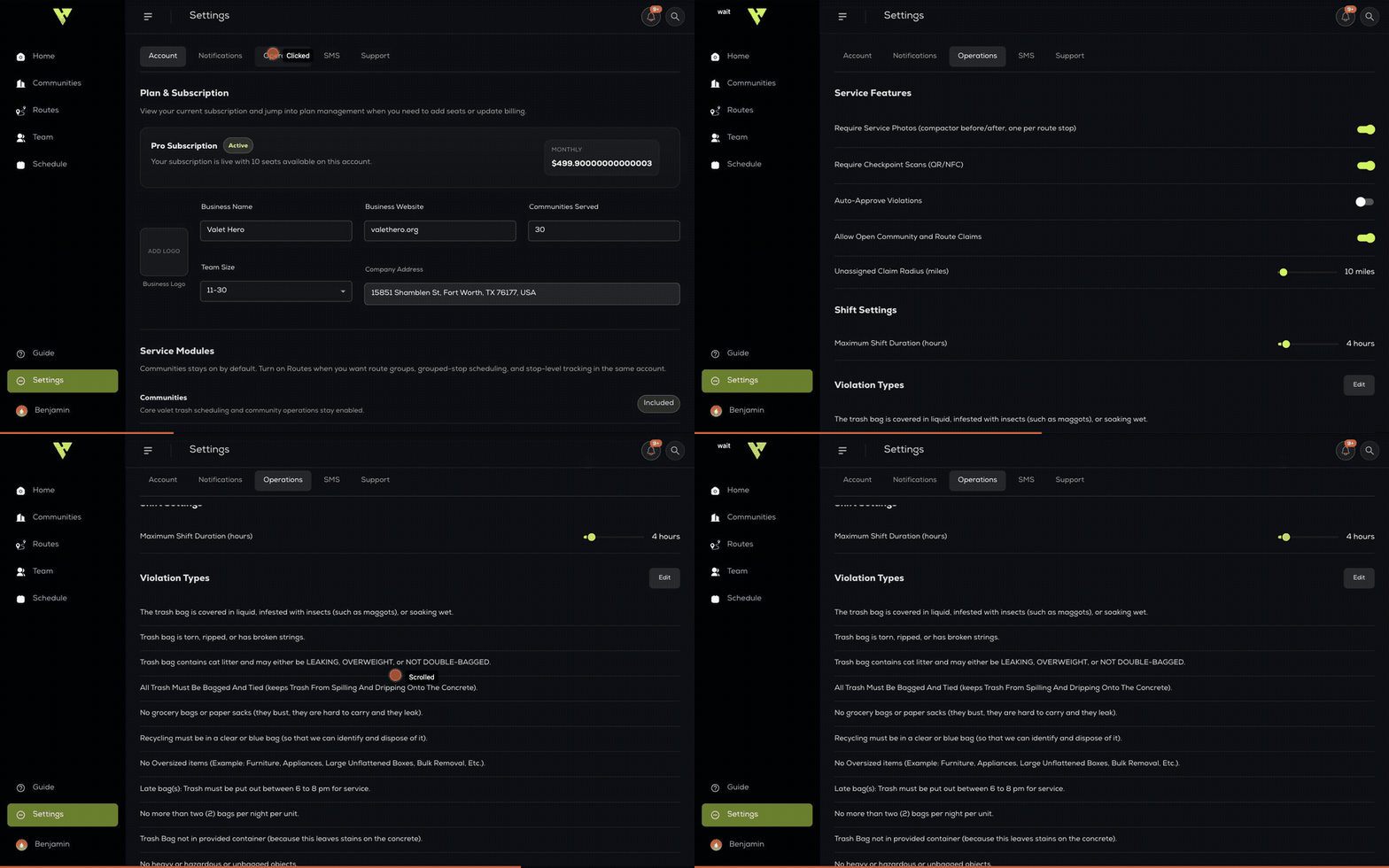
These toggles change the mobile app for your whole team the moment you set them — there is nothing to publish or re-deploy.
Shift Settings
Maximum Shift Duration sets how many hours a shift can run before the system treats it as a forced clock-out.
Violation Types
The reasons your agents pick from when reporting a violation. Click Edit to change the list, then Save Violations. Reset to Defaults restores the original set.