
Adding a Team Member
Go to Team and click Add Team Member. Enter First Name, Last Name, Email and Phone. Choose an Access Level — Collection Specialist or Admin. Set a Start...
- Go to Team and click Add Team Member.
- Enter First Name, Last Name, Email and Phone.
- Choose an Access Level — Collection Specialist or Admin.
- Set a Start Date.
- Optionally upload a Profile Picture.
- Click Create Team Member.
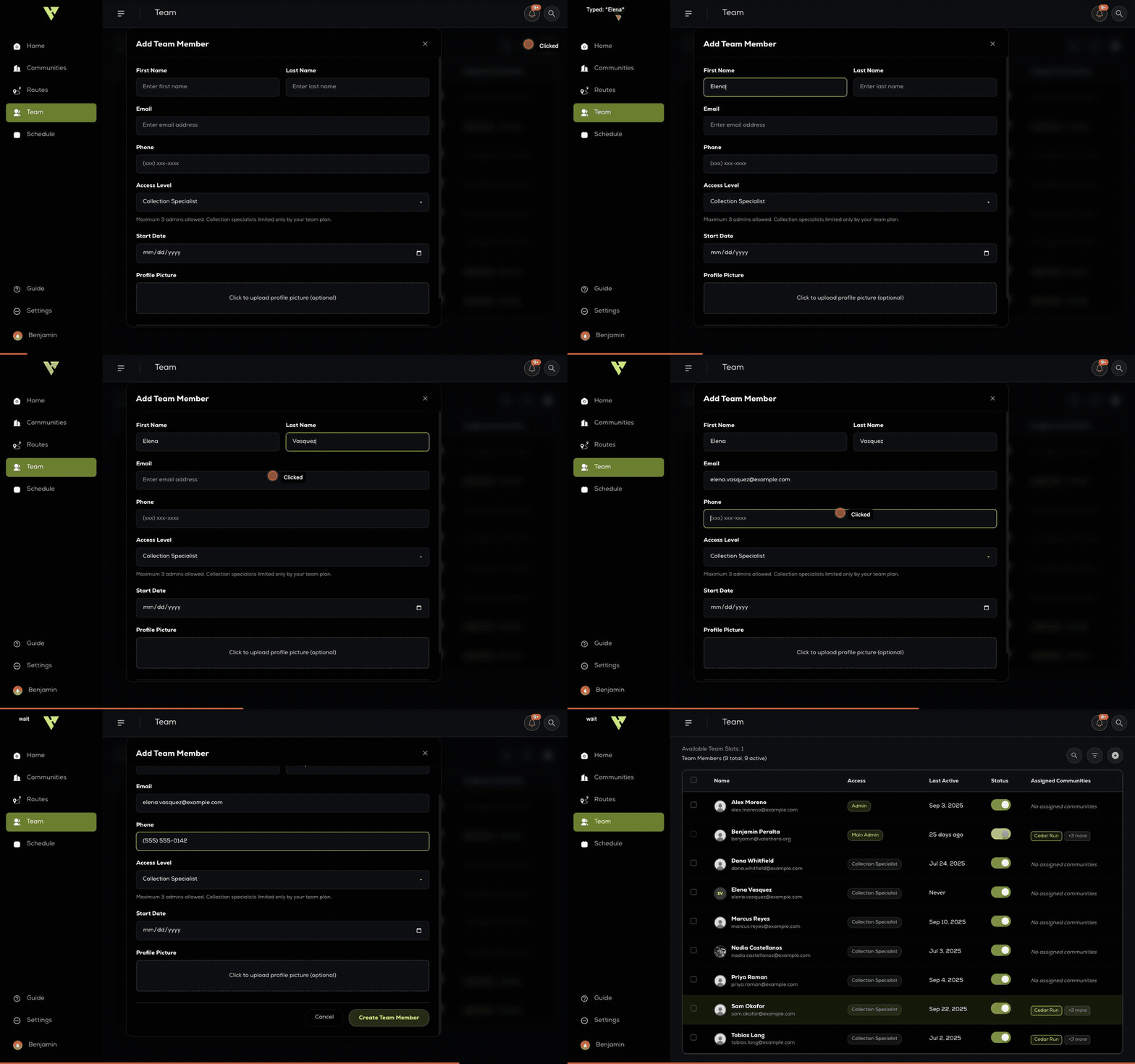
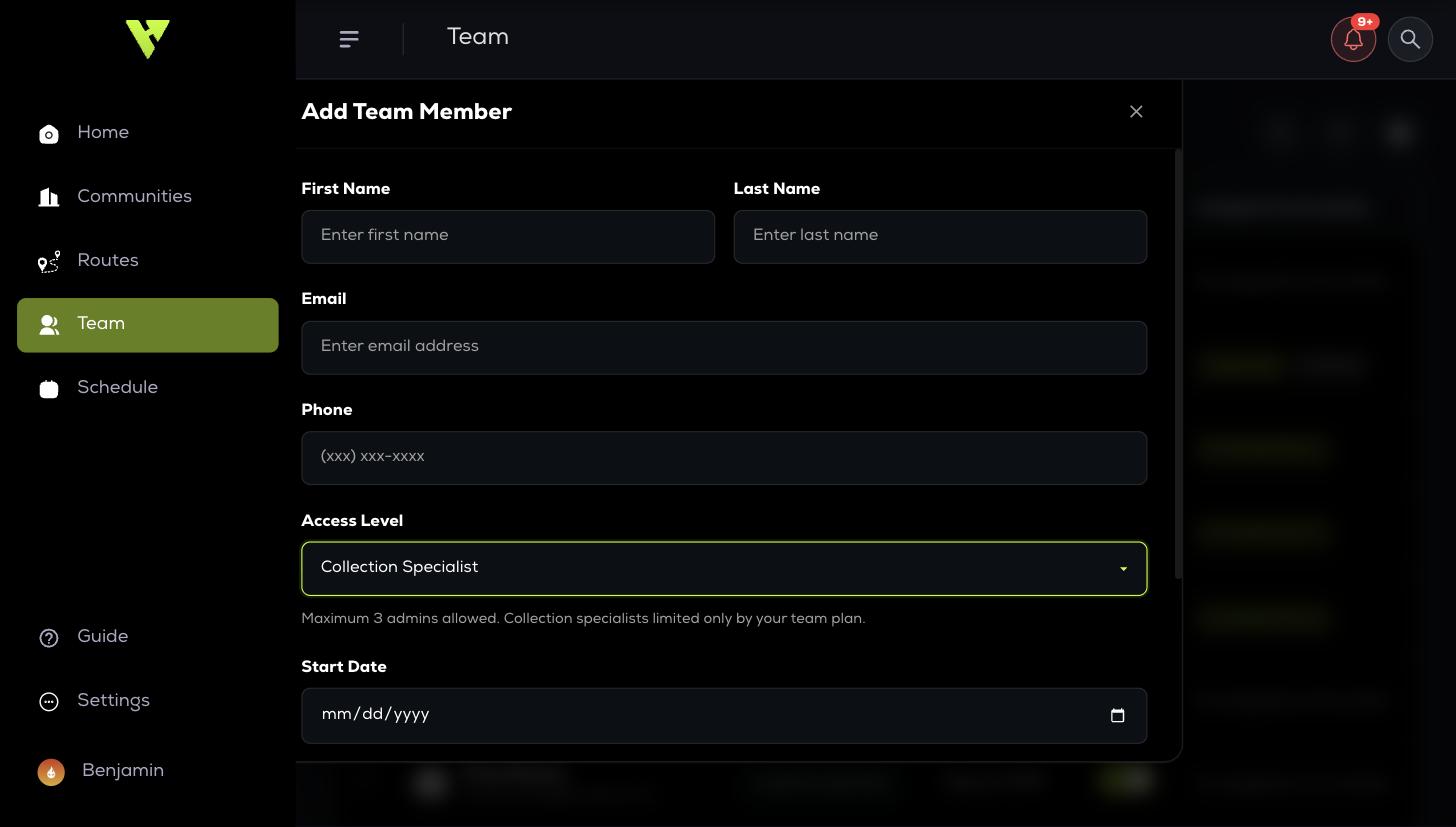
The line under Access Level is the rule worth reading twice: a maximum of 3 admins, while collection specialists are limited only by your team plan. Admin is a scarce slot, so give it deliberately.
They appear in the list straight away with Last Active: Never until their first sign-in. Their login is the email address you entered here.
Deactivating someone
When someone leaves, set them inactive rather than deleting them. Their timesheets, service logs and reported violations stay intact for your records, and they can no longer log in.