
SMS Notifications
Automated texts telling residents and customers when you have arrived and when service is complete. This is the single biggest reduction in "did you com...
Automated texts telling residents and customers when you have arrived and when service is complete. This is the single biggest reduction in "did you come tonight?" calls.
Turning it on
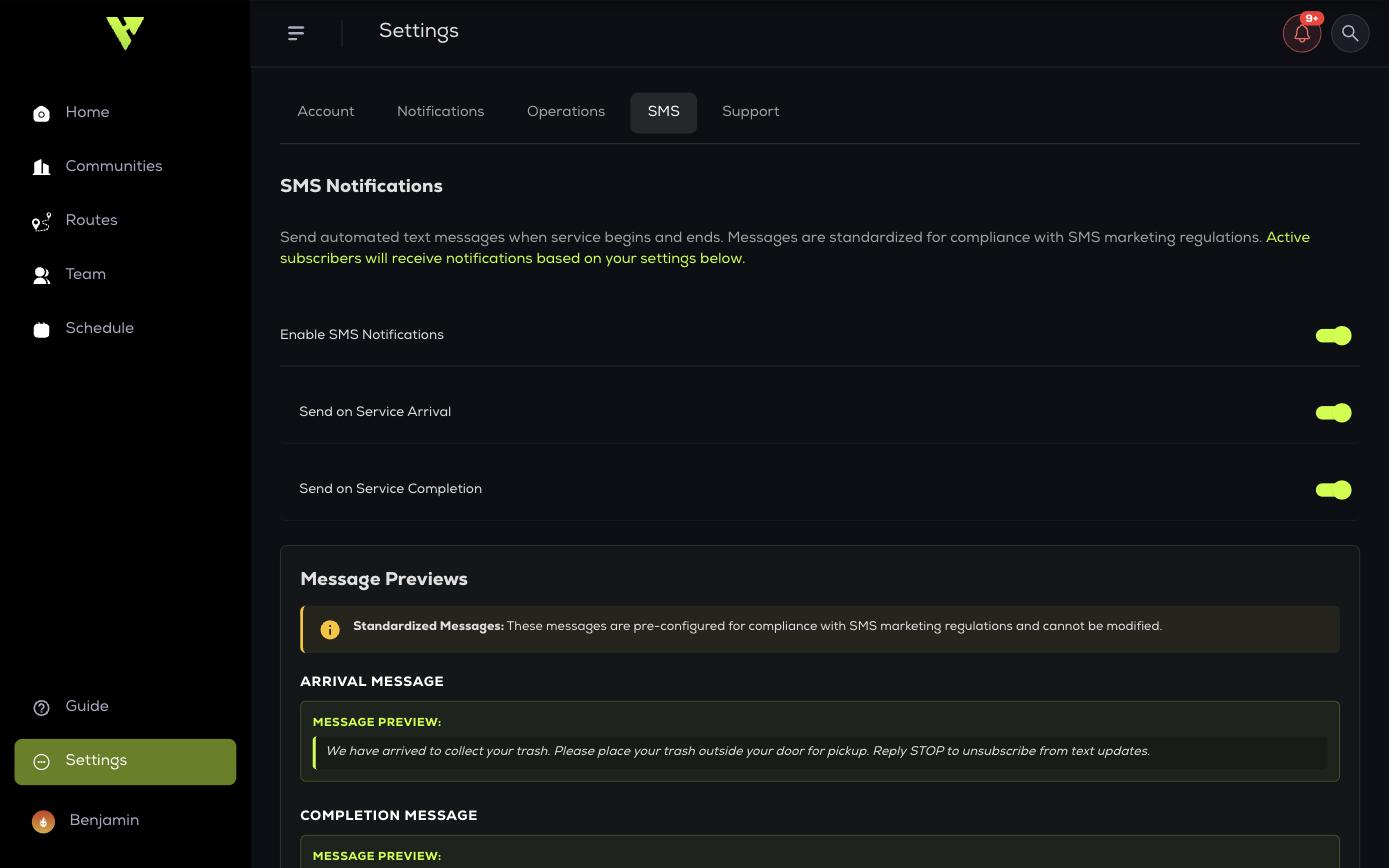
- Go to Settings → SMS and enable SMS Notifications.
- Choose whether to send on arrival, on completion, or both.
- Make sure your stops or residents have phone numbers.
The messages
Message wording is fixed and cannot be edited. This keeps every account compliant. Messages automatically include your company name, standardised professional content, and unsubscribe instructions. Use Message Previews to see exactly what will be sent.
Wording differs by module — doorstep messages ask residents to place trash outside their door, route messages tell customers curbside pickup is starting shortly.
Phone numbers
- Residents subscribe themselves through the resident portal.
- For routes, add a Customer Phone to each stop, or import numbers in bulk. The importer reports how many were Imported, Duplicates and Failed.
- Stop SMS Coverage shows Stops With Phones against Active Stops so you can see your gap.
Usage
SMS Usage & Subscribers shows Messages Sent and Total Subscribers, then breaks the subscribers down by community so you can see which properties residents have actually opted into.
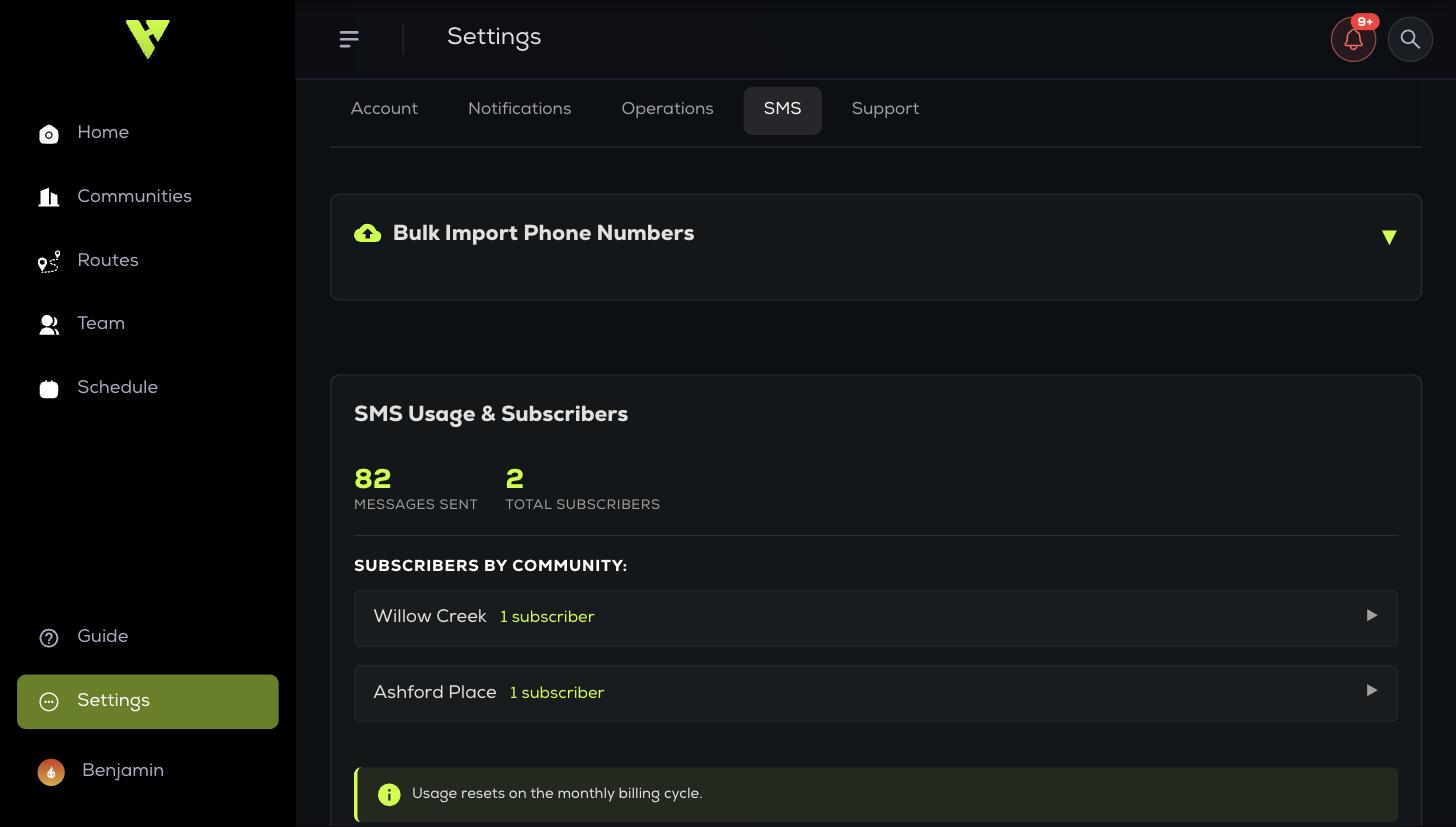
Usage resets on your monthly billing cycle.